

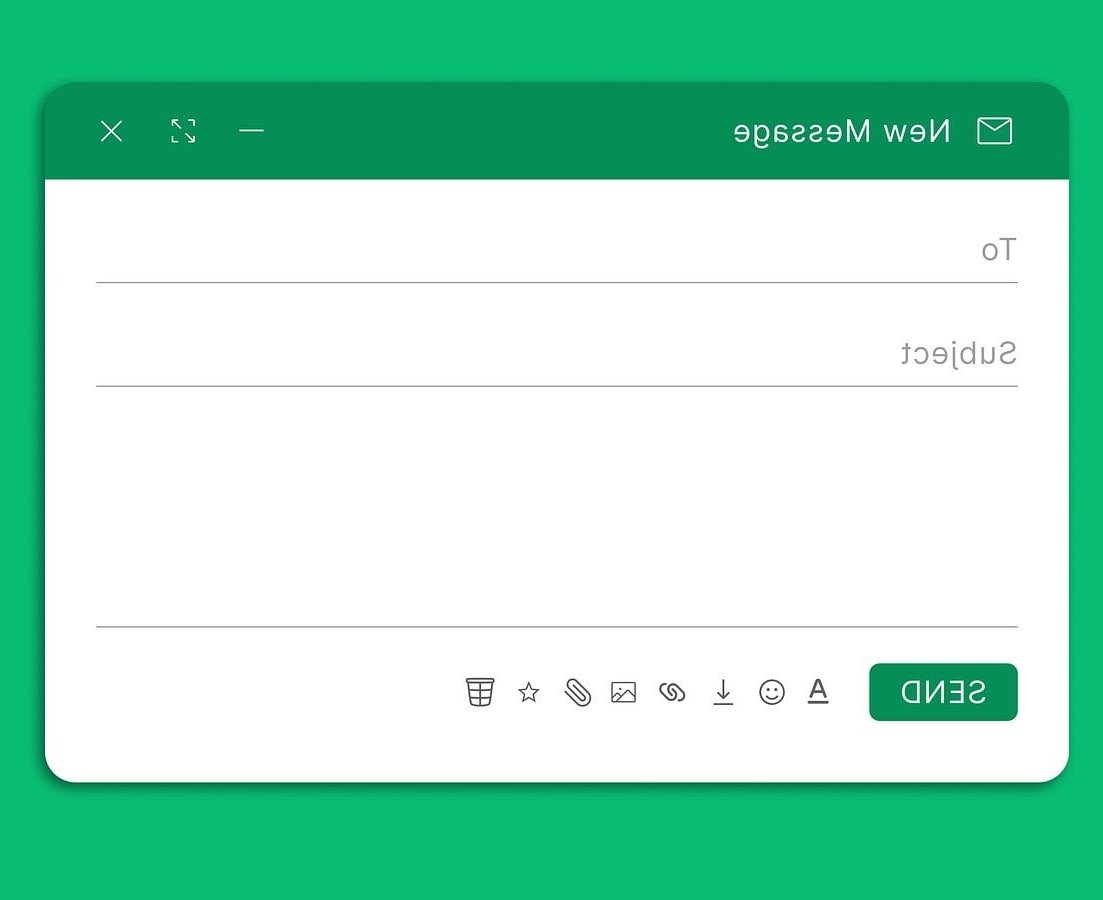
Most articles about newsletter signup form design stop at inspiration galleries. This one goes further: you get the placement data, the field rules, the copy patterns, and the actual markup, CSS and Express.js endpoint you need to ship a form that converts today.
The short answer
A high converting newsletter signup form follows six rules:
- One field (email) unless personalisation genuinely drives revenue.
- Placed where attention already exists: mid-article inline, end of post, and exit intent beat the footer every time.
- A value headline, not a label. Replace “Subscribe to our newsletter” with what the reader receives.
- A specific CTA button: “Send me the weekly tips” outperforms “Submit”.
- Visible states: focus, error, loading and success, all announced to screen readers.
- Trust microcopy: frequency, format and a one click unsubscribe promise.
Step 1: Choose the right placement
Placement affects opt-in rate more than colours, borders or illustrations. The same form can convert ten times better simply by moving it. Here is how the common placements compare in practice.
| Placement | Typical opt-in rate | Intrusiveness | Best for |
|---|---|---|---|
| Inline, mid or end of article | 1% to 3% | Low | Blogs, docs, tutorials |
| Exit intent modal (desktop) | 2% to 5% | High | High traffic pages, ecommerce |
| Two step popup (click a link, then form) | 3% to 8% of clickers | Low | Lead magnets, checklists, templates |
| Sticky bar (top or bottom) | 0.5% to 1.5% | Medium | Site wide, always on offer |
| Sidebar widget | 0.3% to 1% | Low | Desktop heavy audiences |
| Footer | 0.1% to 0.5% | None | Baseline coverage, brand sites |
| Dedicated landing page | 10% to 25% | None | Paid traffic, social bio links |
Treat those numbers as ranges, not promises. They depend on traffic quality, offer strength and industry. What holds true everywhere is the ordering: intent driven placements beat passive ones.
The placement stack that works on most sites
- Always on: a footer form (cheap, zero friction, catches people who go looking).
- Primary driver: an inline form after the third or fourth section of every article, plus one at the end.
- Safety net: an exit intent modal on desktop only, capped at once per 30 days per visitor.
- Campaign specific: a two step popup attached to a lead magnet link.
Never stack a sticky bar, a modal and a slide-in on the same page. Competing prompts kill trust and hurt Core Web Vitals through layout shift.
Mobile rules
- No full screen interstitials on entry. Google treats intrusive interstitials as a ranking negative on mobile.
- Exit intent does not exist on touch devices. Use scroll depth (60% to 70%) or a time delay instead.
- Keep the input at least 44px tall and set
inputmode="email"so the keyboard shows the @ key.

Step 2: Decide how many fields
Every extra field costs conversions. The trade-off is data you can use for segmentation.
| Form | Relative conversion | When to use it |
|---|---|---|
| Email only | Baseline (best) | Default for content newsletters |
| Email + first name | Roughly 5% to 10% lower | Only if you actually personalise subject lines |
| Email + topic checkboxes | Roughly 10% to 20% lower | Multi-product sites where relevance lifts engagement |
| Email + company + role | 30%+ lower | B2B lead gen, never a plain newsletter |
Better approach: ask for the email first, then collect the rest on the confirmation page or in the welcome email. The subscriber is already committed, so completion rates are high and your form stays a single input.
Step 3: Write copy that earns the address
Design gets attention. Copy gets the submit. Three blocks matter: headline, button, reassurance.
Headline formulas
- Outcome + cadence: “One practical Node.js tip, every Friday.”
- Audience + benefit: “For backend developers who ship: performance patterns explained in 3 minutes.”
- Curiosity + proof: “The bugs we fixed this week, read by 12,480 developers.”
- Exclusive access: “Release notes and breaking changes before they hit the docs.”
Avoid “Sign up for our newsletter” as a headline. It describes the mechanism, not the reward.
Button copy
| Weak | Stronger | Why |
|---|---|---|
| Submit | Send me the weekly tips | First person, restates the value |
| Subscribe | Join 12,480 developers | Adds social proof at the click point |
| Sign up | Get the first issue | Immediate, concrete reward |
Reassurance microcopy
Put one short line directly under the button. Keep it factual:
- “Two emails a month. Unsubscribe in one click.”
- “We never share your address. See our privacy policy.”
- “Double opt-in: you will get a confirmation email first.”
The word “spam” can backfire, since it plants the idea. Describe the frequency instead. Newsletter Signup Form Template is a useful companion to this.

Step 4: Build the form (HTML)
Semantic, accessible markup with a honeypot field for bots and explicit state containers for errors and success.
<form class="nl-form" id="nl-form" action="/api/subscribe" method="post" novalidate>
  <h2 class="nl-form__title">One practical Node.js tip, every Friday</h2>
  <p class="nl-form__sub">Two minute read, code first, no fluff. Join 12,480 developers.</p>

  <div class="nl-field">
    <label class="nl-label" for="nl-email">Email address</label>
    <input
      class="nl-input"
      id="nl-email"
      name="email"
      type="email"
      inputmode="email"
      autocomplete="email"
      placeholder="[email protected]"
      required
      aria-describedby="nl-error nl-note">
    <p class="nl-error" id="nl-error" hidden>Please enter a valid email address.</p>
  </div>

  <!-- Honeypot: hidden from humans, filled by bots -->
  <div class="nl-hp">
    <label for="nl-company">Company</label>
    <input id="nl-company" name="company" type="text" tabindex="-1" autocomplete="off">
  </div>

  <button class="nl-button" type="submit">
    <span class="nl-button__label">Send me the weekly tips</span>
    <span class="nl-spinner" aria-hidden="true"></span>
  </button>

  <p class="nl-note" id="nl-note">Four emails a month. Unsubscribe in one click.</p>
  <p class="nl-success" role="status" hidden>Almost done. Check your inbox and confirm your subscription.</p>
</form>
Accessibility checklist
- Always ship a real
<label>. A placeholder is not a label and disappears on typing. - Link the error message with
aria-describedbyand togglearia-invalid="true". - Give the success message
role="status"so screen readers announce it without stealing focus. - Keep contrast at 4.5:1 for text and 3:1 for the input border.
- Do not hide the honeypot with
display:noneonly; use off-screen positioning so it stays plausible to bots but invisible to users.
Step 5: Style it (responsive CSS with validation states)
This CSS uses custom properties so you can theme the form in one place, switches to a single row layout on wider screens, and respects reduced motion preferences.
.nl-form {
  --nl-bg: #ffffff;
  --nl-fg: #111827;
  --nl-muted: #6b7280;
  --nl-border: #d1d5db;
  --nl-accent: #2563eb;
  --nl-error: #dc2626;
  --nl-success: #047857;
  --nl-radius: 10px;

  max-width: 560px;
  margin: 2.5rem auto;
  padding: 1.75rem;
  background: var(--nl-bg);
  color: var(--nl-fg);
  border: 1px solid var(--nl-border);
  border-radius: 14px;
  font-family: system-ui, -apple-system, "Segoe UI", Roboto, sans-serif;
}

.nl-form__title { margin: 0 0 .35rem; font-size: 1.35rem; line-height: 1.3; }
.nl-form__sub { margin: 0 0 1.25rem; color: var(--nl-muted); font-size: .95rem; }

.nl-label {
  display: block;
  margin-bottom: .35rem;
  font-size: .875rem;
  font-weight: 600;
}

.nl-input {
  width: 100%;
  min-height: 48px;
  padding: .75rem .9rem;
  font-size: 1rem;
  color: var(--nl-fg);
  background: #fff;
  border: 1px solid var(--nl-border);
  border-radius: var(--nl-radius);
  transition: border-color .15s ease, box-shadow .15s ease;
}

.nl-input::placeholder { color: #9ca3af; }

.nl-input:focus-visible {
  outline: none;
  border-color: var(--nl-accent);
  box-shadow: 0 0 0 3px rgba(37, 99, 235, .22);
}

/* Error state */
.nl-input[aria-invalid="true"] {
  border-color: var(--nl-error);
  box-shadow: 0 0 0 3px rgba(220, 38, 38, .15);
}

.nl-error {
  margin: .4rem 0 0;
  font-size: .85rem;
  color: var(--nl-error);
}

/* Valid state, only after the user has typed */
.nl-form.is-touched .nl-input:valid:not(:placeholder-shown) {
  border-color: var(--nl-success);
}

.nl-button {
  position: relative;
  width: 100%;
  min-height: 48px;
  margin-top: .9rem;
  padding: .8rem 1.2rem;
  font-size: 1rem;
  font-weight: 600;
  color: #fff;
  background: var(--nl-accent);
  border: 0;
  border-radius: var(--nl-radius);
  cursor: pointer;
  transition: background .15s ease, transform .1s ease;
}

.nl-button:hover { background: #1d4ed8; }
.nl-button:active { transform: translateY(1px); }
.nl-button:focus-visible { outline: 3px solid rgba(37, 99, 235, .45); outline-offset: 2px; }
.nl-button[disabled] { opacity: .65; cursor: not-allowed; }

/* Loading state */
.nl-spinner { display: none; }

.nl-form.is-loading .nl-button__label { visibility: hidden; }

.nl-form.is-loading .nl-spinner {
  display: block;
  position: absolute;
  inset: 0;
  margin: auto;
  width: 20px;
  height: 20px;
  border: 2px solid rgba(255, 255, 255, .4);
  border-top-color: #fff;
  border-radius: 50%;
  animation: nl-spin .7s linear infinite;
}

@keyframes nl-spin { to { transform: rotate(360deg); } }

.nl-note { margin: .75rem 0 0; font-size: .8rem; color: var(--nl-muted); }

.nl-success {
  margin: .9rem 0 0;
  padding: .75rem .9rem;
  font-size: .92rem;
  color: var(--nl-success);
  background: #ecfdf5;
  border: 1px solid #a7f3d0;
  border-radius: var(--nl-radius);
}

/* Honeypot */
.nl-hp {
  position: absolute;
  left: -9999px;
  width: 1px;
  height: 1px;
  overflow: hidden;
}

/* Inline row layout on wider viewports */
@media (min-width: 640px) {
  .nl-form.nl-form--inline .nl-field,
  .nl-form.nl-form--inline .nl-button {
    display: inline-block;
    vertical-align: top;
  }
  .nl-form.nl-form--inline .nl-field { width: calc(100% - 210px); }
  .nl-form.nl-form--inline .nl-button { width: 200px; margin: 1.85rem 0 0 8px; }
}

@media (prefers-reduced-motion: reduce) {
  .nl-input, .nl-button, .nl-spinner { transition: none; animation: none; }
}

@media (prefers-color-scheme: dark) {
  .nl-form {
    --nl-bg: #0f172a;
    --nl-fg: #e2e8f0;
    --nl-muted: #94a3b8;
    --nl-border: #334155;
  }
  .nl-input { background: #111c33; color: #e2e8f0; }
  .nl-success { background: rgba(4, 120, 87, .15); border-color: #065f46; color: #6ee7b7; }
}
Step 6: Handle submit, errors and the success message (JS)
Progressive enhancement: the form posts normally without JavaScript, and upgrades to an inline success message when JS is available.
const form = document.getElementById('nl-form');
const input = document.getElementById('nl-email');
const error = document.getElementById('nl-error');
const success = form.querySelector('.nl-success');
const button = form.querySelector('.nl-button');

function showError(message) {
  error.textContent = message;
  error.hidden = false;
  input.setAttribute('aria-invalid', 'true');
  input.focus();
}

function clearError() {
  error.hidden = true;
  input.removeAttribute('aria-invalid');
}

input.addEventListener('input', () => {
  form.classList.add('is-touched');
  if (input.validity.valid) clearError();
});

form.addEventListener('submit', async (event) => {
  event.preventDefault();
  clearError();

  if (!input.value.trim()) return showError('Your email address is required.');
  if (!input.validity.valid) return showError('That email address looks incomplete.');

  form.classList.add('is-loading');
  button.disabled = true;

  try {
    const response = await fetch(form.action, {
      method: 'POST',
      headers: { 'Content-Type': 'application/json' },
      body: JSON.stringify({
        email: input.value.trim(),
        company: form.company.value
      })
    });

    if (!response.ok) throw new Error('Request failed');

    form.querySelector('.nl-field').hidden = true;
    button.hidden = true;
    success.hidden = false;
  } catch (err) {
    showError('Something went wrong. Please try again in a moment.');
  } finally {
    form.classList.remove('is-loading');
    button.disabled = false;
  }
});
The endpoint (Express)
const express = require('express');
const rateLimit = require('express-rate-limit');

const app = express();
app.use(express.json());

const subscribeLimiter = rateLimit({
  windowMs: 10 * 60 * 1000,
  max: 5,
  standardHeaders: true,
  legacyHeaders: false
});

const EMAIL_RE = /^[^\\s@]+@[^\\s@]+\\.[^\\s@]{2,}$/;

app.post('/api/subscribe', subscribeLimiter, async (req, res) => {
  const { email = '', company = '' } = req.body;

  // Honeypot filled means bot: answer 200 so the bot does not retry
  if (company.trim() !== '') return res.status(200).json({ ok: true });

  if (!EMAIL_RE.test(email.trim())) {
    return res.status(400).json({ ok: false, message: 'Invalid email address' });
  }

  try {
    await createPendingSubscriber(email.trim().toLowerCase());
    await sendConfirmationEmail(email.trim().toLowerCase());
    return res.status(201).json({ ok: true });
  } catch (err) {
    return res.status(500).json({ ok: false, message: 'Subscription failed' });
  }
});

app.listen(3000);
Two details matter here. First, always return a generic response whether the address already exists or not, so the endpoint cannot be used to enumerate subscribers. Second, use double opt-in: it lowers raw signup counts by 10% to 30% but protects deliverability and keeps you compliant with GDPR style consent requirements.
What to show after submit
The success message is part of the newsletter signup form design, not an afterthought. A good one does three things:
- Confirms the action: “You are on the list.”
- Sets the next expectation: “Check your inbox for a confirmation link, it arrives in under a minute.”
- Offers a next step: link to the archive, a popular article, or the whitelist instructions.
Replace the fields in place rather than redirecting. Redirects lose scroll position and feel heavier on mobile. There is more on it in 10 highly-effective trends in newsletter signup form design.

Common mistakes that quietly kill conversions
- Placeholder as label. Once someone starts typing, the context disappears.
- Validating on every keystroke. Validate on blur or submit, then re-validate live once an error exists.
- Generic error text. “Invalid input” tells nobody anything. Say what is wrong and how to fix it.
- No loading state. Users double submit, and you create duplicates.
- Modal on first pageview. Wait for engagement: 30 seconds, 60% scroll, or second page.
- Layout shift. Reserve space for sticky bars and error messages so CLS stays low.
- Pre-ticked consent boxes. Not compliant, and it poisons your list quality.
Measure the right numbers
| Metric | Definition | Healthy target |
|---|---|---|
| Form view rate | Sessions where the form entered the viewport | Above 60% for inline forms |
| Start rate | Viewers who focus the input | 5% to 10% |
| Completion rate | Starters who submit successfully | Above 70% |
| Confirmation rate | Submitters who click the double opt-in link | 60% to 80% |
| 30 day engagement | New subscribers who opened at least one issue | Above 50% |
A low start rate is a copy or placement problem. A low completion rate is a form or validation problem. A low confirmation rate is an expectation problem, usually caused by a vague success message.
Tests worth running, in order
- Headline value proposition (mechanism vs outcome).
- Placement (mid-article vs end of article).
- Button label.
- Adding or removing the name field.
- Social proof line (subscriber count vs testimonial).
- Visual treatment (boxed card vs full width band).
Run one test at a time and let it reach a few hundred conversions before calling it. Small lists move slowly, so favour bigger swings over pixel tweaks.
FAQ
How many fields should a newsletter signup form have?
One. Email only is the default that converts best. Add a first name field only if you personalise content in a way that measurably improves open rates, and collect anything else after the signup.
Where is the best place to put a newsletter signup form?
Inline within content, at the point where the reader has received value (roughly two thirds through an article), plus a second one at the end. Keep a footer form as a baseline and add an exit intent modal on desktop if your traffic volume justifies it.
Do popups hurt SEO?
Intrusive interstitials that block content on mobile immediately after arrival can hurt rankings. Exit intent modals on desktop, scroll triggered slide-ins and small sticky bars are generally safe. Reserve layout space so they do not cause cumulative layout shift.
Should I use single or double opt-in?
Double opt-in for almost every case. You lose some raw signups but gain deliverability, cleaner data and stronger consent evidence. Single opt-in only makes sense for low risk lists with very high intent, such as a purchase follow up.
What is the best text for a subscribe button?
Something first person and specific: “Send me the weekly tips”, “Get the first issue”, “Join 12,480 developers”. Avoid “Submit”, which describes the mechanic rather than the reward.
How do I stop bot signups without a CAPTCHA?
Combine a honeypot field, a minimum time-to-submit check, server side rate limiting and double opt-in. That stack blocks the vast majority of automated submissions without adding friction for real users.
Should the form use a modal or stay inline on mobile?
Inline. Mobile modals are harder to dismiss, trigger keyboard overlap issues and risk the interstitial penalty. If you need an overlay on mobile, trigger it on exit from a scroll position deep in the page and make the close button at least 44px.
Ship it
Good newsletter signup form design is mostly a discipline problem: one field, one clear promise, one specific button, placed where people are already paying attention, with states that never leave the user guessing. Copy the markup and CSS above, wire it to the Express endpoint, then spend your testing budget on the headline and the placement rather than the border radius.